
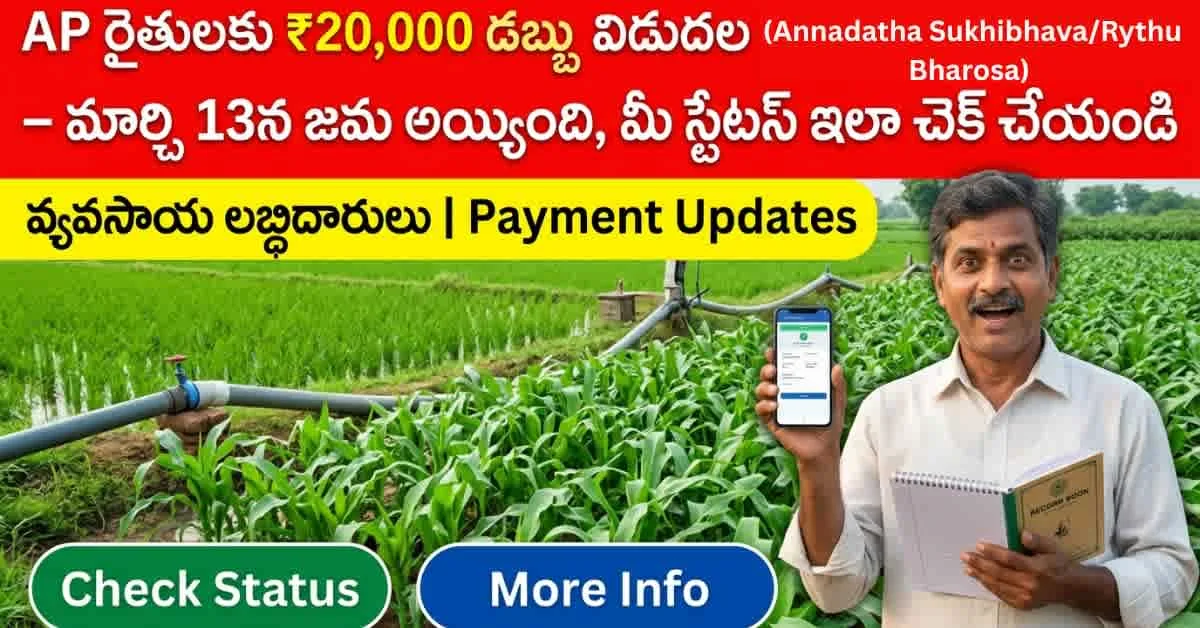
మీ ఖాతాలో ప్రభుత్వం జమ చేసిన ₹20,000 వచ్చాయో లేదో తెలుసుకోవాలని waiting lo unnara? You’re not alone. ప్రతి సంవత్సరం లక్షలాది మంది ఆంధ్రప్రదేశ్ రైతులు ఇదే question tho — “డబ్బు వచ్చిందా? లేదా? Status ela check cheyali?” — confusion face chestunnaru. Annadatha Sukhibhava Status Check is simpler than you think — but only if you know the right steps, the right website, and the common pitfalls to avoid. Let me walk you through everything clearly, step by step, so you can check your payment status in under 5 minutes.
వ్యవసాయ ఉద్యోగాల తాజా నోటిఫికేషన్స్ మిస్ అవ్వకుండా ఉండాలంటే ఇప్పుడే మా అధికారిక WhatsApp ఛానల్లో జాయిన్ అవ్వండి!
WhatsApp Channel
What is Annadatha Sukhibhava (YSR Rythu Bharosa)?
వైఎస్సార్ రైతు భరోసా — అన్నదాత సుఖీభవ is the Andhra Pradesh government’s flagship farmer welfare scheme. Every year, eligible farmers receive direct financial assistance to support their cultivation costs — seeds, fertilizers, labor, and other agricultural inputs. The program is designed to reduce the financial burden on farmers and encourage continued agricultural activity across the state.
| అంశం | వివరాలు |
|---|---|
| పథకం పేరు | వైఎస్సార్ రైతు భరోసా – అన్నదాత సుఖీభవ |
| మొత్తం సహాయం | ₹20,000 వరకు (per year) |
| తాజా విడత | March 13 (recent installment) |
| లబ్ధిదారులు | All eligible AP farmers with land records |
| చెల్లింపు విధానం | Direct Bank Transfer (DBT) |
Payment Breakdown: Where Does ₹20,000 Come From?
The total assistance of up to ₹20,000 comes in two components:
| చెల్లింపు భాగం | మొత్తం |
|---|---|
| PM Kisan Share (Central) | ₹6,000 |
| AP Government Share (State) | ₹14,000 |
| మొత్తం సహాయం | ₹20,000 |
This amount is released in installments directly to the farmer’s registered bank account. Each installment release is a critical moment for farmers — and that’s exactly when Annadatha Sukhibhava Status Check becomes essential. You need to confirm the money has reached your account and identify any issues early.
How to Check Your Status — Step by Step
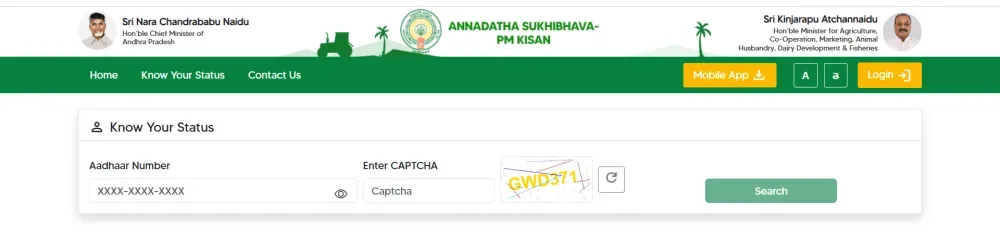
Follow these five simple steps to check your payment status:
- Visit the Official Website: Go to annadathasukhibhava.ap.gov.in — this is the ONLY official portal. Be wary of fake websites.
- Find the Beneficiary Details Section: Look for the “Know Your Status” or “Beneficiary Details” option on the homepage.
- Enter Your Details: Input your Aadhaar number or registered mobile number. Make sure these match the details linked to your bank account and land records.
- Submit and View: Click submit. Your payment status will appear instantly on screen.
- Verify the Result: Check whether your payment shows as “Success,” “Pending,” or another status (explained below).
👉 Click Here to Check Your Annadatha Sukhibhava Status Now
Understanding Your Status Results
| స్థితి | అర్థం | What to Do |
|---|---|---|
| Success | డబ్బు ఖాతాలో జమ అయింది | Great! Funds are in your account. Use for cultivation. |
| Pending | ప్రక్రియ కొనసాగుతోంది | Wait 3-5 working days. Check again. Processing underway. |
| Failed | బ్యాంకు వివరాల్లో సమస్య | Visit your bank. Verify account is active and linked to Aadhaar. |
| Not Eligible | పథకానికి సరిపోలలేదు | Visit local agriculture office. Verify land records and eligibility. |
Common Reasons for Payment Delays
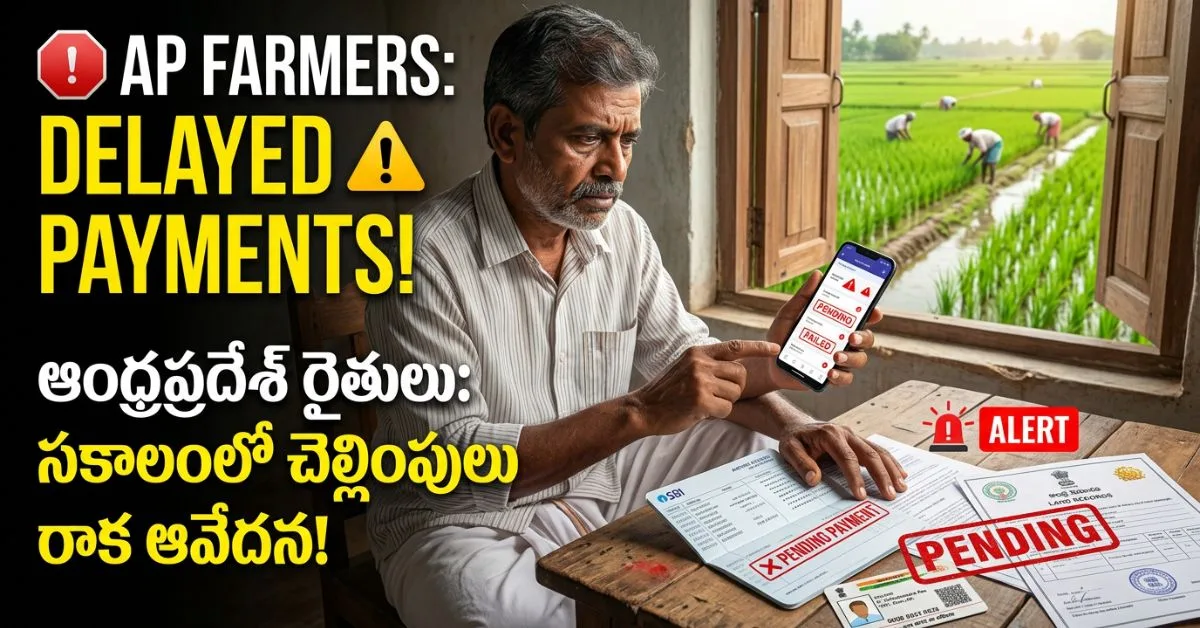
If your Annadatha Sukhibhava Status Check shows “Pending” or “Failed,” don’t panic. Here are the most common reasons and how to fix them:
- Inactive Bank Account: If your registered bank account is dormant or closed, payments will fail. Visit your bank branch to reactivate or update your account. Ensure the account is linked to your Aadhaar number.
- Aadhaar Mismatch: If your Aadhaar details don’t match the details in the scheme database, verification fails. Update your Aadhaar at the nearest enrollment center and ensure it’s linked to your bank account.
- Outdated Land Records: If your land ownership records haven’t been updated or digitized correctly, eligibility verification fails. Visit your local revenue office (MRO) to update land records.
- Wrong Mobile Number: If the mobile number in the system doesn’t match your current number, you may not receive notifications — and verification can fail. Update your mobile number through the portal or at your local agriculture office.
For any of these issues, your first point of contact should be the local agriculture office (Vyavasaya Karyalayam) or your nearest RBK center. They can help identify the specific problem and guide you through the resolution.
Key Things Every Farmer Must Remember
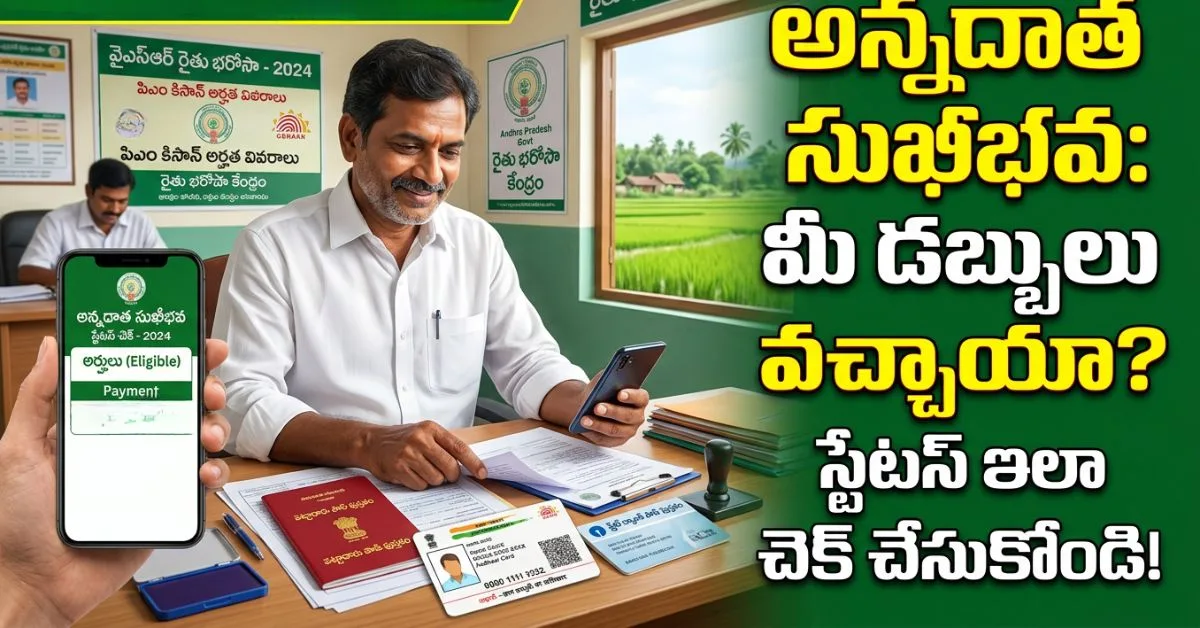
- Keep Your Bank Account Active: An inactive or dormant account is the #1 reason for payment failures. Make at least one transaction every few months to keep it active.
- Link Aadhaar to Bank Account: This is mandatory for DBT (Direct Benefit Transfer) schemes. Visit your bank if not already done.
- Maintain Updated Land Records: Ensure your land records at the MRO office are current and accurately reflect your ownership and cultivation status.
- Verify Details at Village Office: Before the installment date, visit your gram panchayat or agriculture office to confirm your details are correct in the system.
- Use Only the Official Website: annadathasukhibhava.ap.gov.in is the ONLY legitimate portal. Never share your Aadhaar or bank details on unofficial websites or with unknown callers.
Comparison: Annadatha Sukhibhava vs PM Kisan
| Feature | Annadatha Sukhibhava (AP) | PM Kisan (Central) |
|---|---|---|
| Amount per Year | ₹14,000 (state share) | ₹6,000 (central share) |
| Total Combined | ₹20,000 | Included above |
| Eligibility | AP farmers with land records | All India landholding farmers |
| Official Portal | annadathasukhibhava.ap.gov.in | pmkisan.gov.in |
| Status Check | Aadhaar or mobile number | Aadhaar, account, or mobile |
A Real Farmer’s Experience
గుంటూరు జిల్లా కి చెందిన ఒక రైతు — let’s call him Ramana — was unsure whether his March 13 installment had arrived. He’d heard rumors that some payments were delayed. Instead of waiting and worrying, he visited annadathasukhibhava.ap.gov.in, entered his Aadhaar number, and within seconds saw: “Success — Payment Credited.” The relief was immediate. He used those funds to buy seeds for the upcoming season. That’s the power of Annadatha Sukhibhava Status Check — it replaces uncertainty with clarity and helps farmers plan their cultivation with confidence.
Alternative Check Methods: Mobile App and Helpline
Beyond the website, farmers have two additional convenient options to perform Annadatha Sukhibhava Status Check:
- Rythu Bharosa Mobile App: Download the official AP Rythu Bharosa app from Google Play Store. After installation, register with your Aadhaar-linked mobile number. The app provides status updates, scheme notifications, and installment alerts. This is especially useful for farmers who primarily use smartphones rather than computers.
- Helpline Number: Call 1902 (toll-free AP farmer helpline) during working hours (10 AM to 5 PM, Monday to Saturday). Provide your Aadhaar number to the representative, who can check your status and provide guidance on any issues. Keep your Aadhaar card and bank passbook handy when calling.
- Village Agriculture Assistant (VAA): Your local VAA or RBK center staff can check status on your behalf using the internal portal. This is the best option for farmers who aren’t comfortable with digital platforms. Visit during office hours with your Aadhaar card.
Detailed Troubleshooting Guide: When Status Shows “Failed”
A “Failed” status on your Annadatha Sukhibhava Status Check doesn’t mean the money is permanently lost — it means there’s a fixable issue. Here’s a systematic approach to resolve it:
| Issue | Root Cause | Fix | Time to Resolve |
|---|---|---|---|
| Bank Account Dormant | No transactions for 12+ months | Visit bank branch with KYC documents. Make a small deposit/withdrawal to reactivate. | 2-3 working days |
| Aadhaar Not Linked | Bank account not seeded with Aadhaar | Submit Aadhaar seeding form at your bank branch. Bring original Aadhaar card. | 3-5 working days |
| Name Mismatch | Name in bank differs from Aadhaar/land records | Update name to match across all three: bank, Aadhaar, and land records. Start with Aadhaar correction at enrollment center. | 7-10 working days |
| Land Records Not Updated | Digitization incomplete or ownership not verified | Visit MRO office with all land documents. Request record updation and digitization. | 15-30 days |
| Wrong IFSC Code | Bank branch change not updated in scheme database | Submit corrected bank details at local agriculture office or RBK center. | 5-7 working days |
Pro Tip: After resolving any issue, wait 5-7 working days and perform the Annadatha Sukhibhava Status Check again. If the installment period has already passed, the pending amount will be credited in the next installment cycle — it is not forfeited.
Seasonal Payment Calendar: When to Expect Your Money
Knowing when installments arrive helps you plan your Annadatha Sukhibhava Status Check schedule and your farming activities:
| Installment | Typical Release Month | Purpose |
|---|---|---|
| First Installment | May – June | Kharif season preparation — seeds, fertilizers, land preparation |
| Second Installment | October – November | Rabi season support — winter crop inputs |
| Third Installment | February – March | Summer crop and soil preparation for next cycle |
Always perform your Annadatha Sukhibhava Status Check within 7 days of each installment release date. This gives you time to identify and resolve any issues before the next farming activity deadline.
Security Advisory: Protect Yourself from Fraud
The popularity of the scheme has unfortunately attracted fraudsters. Stay safe with these guidelines:
- Never share OTPs: No government official will ever ask for your OTP over phone. Hang up immediately if someone requests it.
- No fees for status check: Annadatha Sukhibhava Status Check is 100% free. Anyone asking for money to “process your payment” or “check your status” is a fraudster.
- Use only official channels: The only legitimate website is annadathasukhibhava.ap.gov.in. The only legitimate helpline is 1902. WhatsApp messages claiming to offer faster status checks are scams.
- Verify callers: If someone calls claiming to be from the agriculture department and asks for your bank details, hang up and call 1902 directly to verify.
- Report fraud: If you encounter any suspicious activity related to the scheme, report it immediately at your local police station or via the cybercrime portal.
FAQ
Q1: Annadatha Sukhibhava lo enta dabbu vastundi per year?
A1: Eligible farmers receive up to ₹20,000 per year — comprising ₹6,000 from PM Kisan (Central share) and ₹14,000 from the AP Government (State share). The amount is credited in installments directly to the farmer’s registered bank account through Direct Benefit Transfer (DBT).
Q2: Annadatha Sukhibhava Status Check ela cheyali?
A2: Visit the official website annadathasukhibhava.ap.gov.in. Click on “Know Your Status” or “Beneficiary Details.” Enter your Aadhaar number or registered mobile number. Submit. Your payment status will display instantly — showing whether the amount has been credited, is pending, or if there’s an issue.
Q3: Dabbu rakapote em cheyali?
A3: First, check your status on the official portal. If it shows “Failed,” the most common issues are: inactive bank account, Aadhaar-bank linking incomplete, outdated land records, or incorrect mobile number. Visit your local agriculture office or RBK center with your Aadhaar card, bank passbook, and land records. They can identify the specific problem and help resolve it.
Q4: E patakam evariki apply avtundi? Eligibility enti?
A4: All Andhra Pradesh farmers who own cultivable land and have updated land records are eligible. You must have an active bank account linked to Aadhaar. Tenant farmers and sharecroppers should verify their eligibility at the local agriculture office, as rules may vary based on documentation.
Q5: Annadatha Sukhibhava and PM Kisan okatena?
A5: Not exactly — but they’re linked. PM Kisan is the central government scheme providing ₹6,000 annually. Annadatha Sukhibhava (YSR Rythu Bharosa) is the state scheme providing an additional ₹14,000, bringing total support to ₹20,000 annually for AP farmers. Both amounts are credited to the same bank account but may arrive as separate installments. You can check PM Kisan status at pmkisan.gov.in and Annadatha Sukhibhava status at annadathasukhibhava.ap.gov.in.
Conclusion
The Annadatha Sukhibhava Status Check is your tool for financial clarity — use it after every installment release to confirm receipt, catch issues early, and plan your farming season with confidence. Bookmark annadathasukhibhava.ap.gov.in. Keep your Aadhaar, bank account, and land records updated. Visit your local agriculture office if any status shows “Failed” or “Not Eligible.” The government has designed this scheme to support your farming — make sure you’re receiving what you’re entitled to. 🌾
Stay updated on AP farmer welfare schemes, job notifications, and agriculture news at GardenHacks.
వ్యవసాయ ఉద్యోగాల తాజా నోటిఫికేషన్స్ మిస్ అవ్వకుండా ఉండాలంటే ఇప్పుడే మా అధికారిక WhatsApp & Telegram ఛానళ్లలో జాయిన్ అవ్వండి!
 WhatsApp Channel
 Telegram Channel

నేను A. Ushasree. gardenhacks.in లో వ్యవసాయ ఉద్యోగాలు, రైతు పథకాలు, హోమ్ గార్డెనింగ్ వంటి విభాగాలపై సరళమైన తెలుగులో ఉపయోగకరమైన సమాచారాన్ని పంచుకుంటాను. రైతులు మరియు సాధారణ కుటుంబాలకు ఉపయోగపడే సమాచారం అందించడం నా లక్ష్యం.